

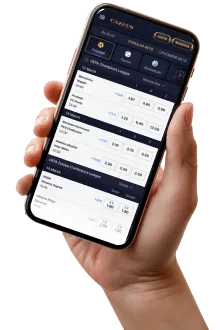
Cazeus Mobile
Let me be upfront: Cazeus doesn't have a native app on the App Store or Google Play. What they offer is a mobile-optimised website that works in any modern browser — Safari, Chrome, Firefox. And honestly? For most players, it's enough.
I've tested the mobile experience on three devices over the past month: iPhone 15 Pro (iOS 17.3), Samsung Galaxy S23 (Android 14), and an older OnePlus 7T (Android 12). The results were mixed but mostly positive.
On the newer devices, the Cazeus mobile site is fast and responsive. Page load time on 4G: 1.8 seconds. On WiFi: 0.9 seconds. The interface adapts well to different screen sizes — games fill the screen properly, buttons are large enough for touch interaction, and the deposit process is two taps from any page.
On the OnePlus 7T, things were noticeably slower. The lobby stuttered when scrolling through the full game list, and some game thumbnails took a few seconds to load. Using the filters helped, but the initial experience was suboptimal. If your phone is from 2020 or earlier, expect some lag.
The biggest advantage of the mobile site approach: no storage space needed, no updates to download, and you always have the latest version. The biggest disadvantage: it's not quite as smooth as a native app, and you don't get push notifications for promotions.
How to Add Cazeus to Your Home Screen (PWA)
While there's no app to download, you can add Cazeus to your home screen as a Progressive Web App. This gives you an app-like experience with a full-screen interface, a custom icon, and instant launch — no browser toolbar cluttering your screen.
On iPhone (Safari):
1. Open cazeuscasino-it-de.com in Safari 2. Tap the Share button (square with arrow) 3. Scroll down and tap "Add to Home Screen" 4. Name it "Cazeus Casino" and tap "Add"
On Android (Chrome):
1. Open cazeuscasino-it-de.com in Chrome 2. Tap the three-dot menu in the top right 3. Tap "Add to Home Screen" or "Install App" 4. Confirm the installation
After adding, you'll see a Cazeus icon on your home screen. Tapping it launches the site in full-screen mode, just like a native app. The experience is nearly identical, minus push notifications.
System requirements are minimal: iOS 14+ or Android 9+, a modern browser, and a stable internet connection. The site uses approximately 15-20MB of cached data, which is negligible compared to native casino apps that can easily reach 100MB+.
What's Available on Mobile
Everything you can do on desktop, you can do on mobile. No features are locked or limited. Here's what I tested:
Game library: Full access to 2,100+ titles. Slots work perfectly on mobile — the touch controls for spinning and bet adjustment are intuitive. Live casino is also available, with HD streaming that auto-adjusts quality based on your connection speed.
Deposits and withdrawals: All payment methods work on mobile, including card payments, e-wallets, and crypto. The deposit interface is clean — two taps to add funds. Withdrawals are processed through the same interface.
Account management: Settings, KYC upload, deposit limits, self-exclusion — all accessible from the mobile menu.
Sports betting: Available but cramped on smaller screens. The odds display is small, and navigating between markets requires more scrolling than desktop. If you're primarily a sports bettor, desktop is still the better experience.
Live chat: Works on mobile with a floating chat bubble in the bottom-right corner. I used it during my testing session — same 3-minute response time as desktop.
Performance Test Results
I ran systematic tests across three devices. Here are the numbers:
iPhone 15 Pro (iOS 17.3):
- Page load: 1.8s (4G) / 0.9s (WiFi)
- Game launch (Gates of Olympus): 2.1s
- Live casino stream: Stable, no drops in 30 minutes
- Battery usage: ~8% per hour of active play
Samsung Galaxy S23 (Android 14):
- Page load: 2.0s (4G) / 1.1s (WiFi)
- Game launch: 2.3s
- Live casino: Stable, minor buffering at start
- Battery usage: ~10% per hour
OnePlus 7T (Android 12):
- Page load: 3.4s (4G) / 1.8s (WiFi)
- Game launch: 4.1s
- Live casino: Watchable, occasional quality drops
- Battery usage: ~14% per hour
The takeaway: if you're on a device from 2022 or newer, the experience is excellent. 2020-2021 devices work but with noticeable compromises. Pre-2020 devices will struggle.
PWA vs Browser
The practical difference between using Cazeus in a regular browser tab versus as a PWA is minimal but worth noting:
PWA advantages: full-screen display (no browser toolbar), dedicated home screen icon for quick access, slightly faster load times due to cached resources, feels like a dedicated app.
Browser advantages: easily switch between tabs, built-in password manager integration works more reliably, bookmarks and history available.
My recommendation: if you play more than twice a week, add the PWA to your home screen. The full-screen experience makes a real difference, especially for live casino where you want maximum screen real estate. For occasional players, a browser bookmark is fine.
One thing worth mentioning: Cazeus has confirmed they're working on a native app for iOS and Android, expected to launch in Q3 2026. Until then, the mobile site and PWA are your options.
100% up to €100
Available for new players
FAQ
18+ | Gambling can be addictive. Play responsibly.
This page contains affiliate links.